A $0 Nanny Timesheet App
My wife and I have a nanny. She works five days a week, 36 hours total. Like any employer, we give her paid sick days and vacation days, which accrue monthly. The tracking for this lived in a Google Sheet that my wife maintained by hand.
It worked, mostly. But “mostly” is doing a lot of heavy lifting. Every month, Kristin had to remember to add the new accrual. Every time Jessa took a day off, Kristin had to calculate how many hours to subtract based on which day of the week it fell on (Thursday is 8 hours, the other days are 7). And when I asked “how many vacation hours does Jessa have left?” the answer was always “let me check the spreadsheet.” It was a two-person household running a tiny payroll system on vibes and conditional formatting.
Why not just use an app?
I looked. The options fall into two categories: enterprise HR platforms that cost $50 to $200 per month and require onboarding calls, and free apps that are either ad-supported, dead, or designed for teams of 50+. We have exactly one employee. We need to track two balances (sick and vacation), let her request time off, and get an email when she does. That is the entire feature set.
Every commercial product I found was wildly overbuilt for this. Gantt charts. Org hierarchies. PTO approval chains with multiple levels of management. We do not have multiple levels of management. We have Kristin.
So I built it.
The build
The whole thing came together over a weekend using Claude Code, Anthropic’s CLI tool for coding with Claude. I described what I wanted and iterated on it conversationally, reviewing and testing each piece as it was generated.
The stack is Next.js with the App Router, Prisma ORM on SQLite, Tailwind CSS, and Google OAuth for login. I wanted something that could run on a single cheap server with zero external database dependencies. SQLite felt right for an app with three users.
The data model is a double-entry ledger. Every balance change (accrual, usage, carryover, manual adjustment) is a row in a transactions table. The current balance is always SUM(hours) WHERE type = 'sick'. There is no cached balance field to get out of sync. If something looks wrong, you can read the transaction history like a bank statement.
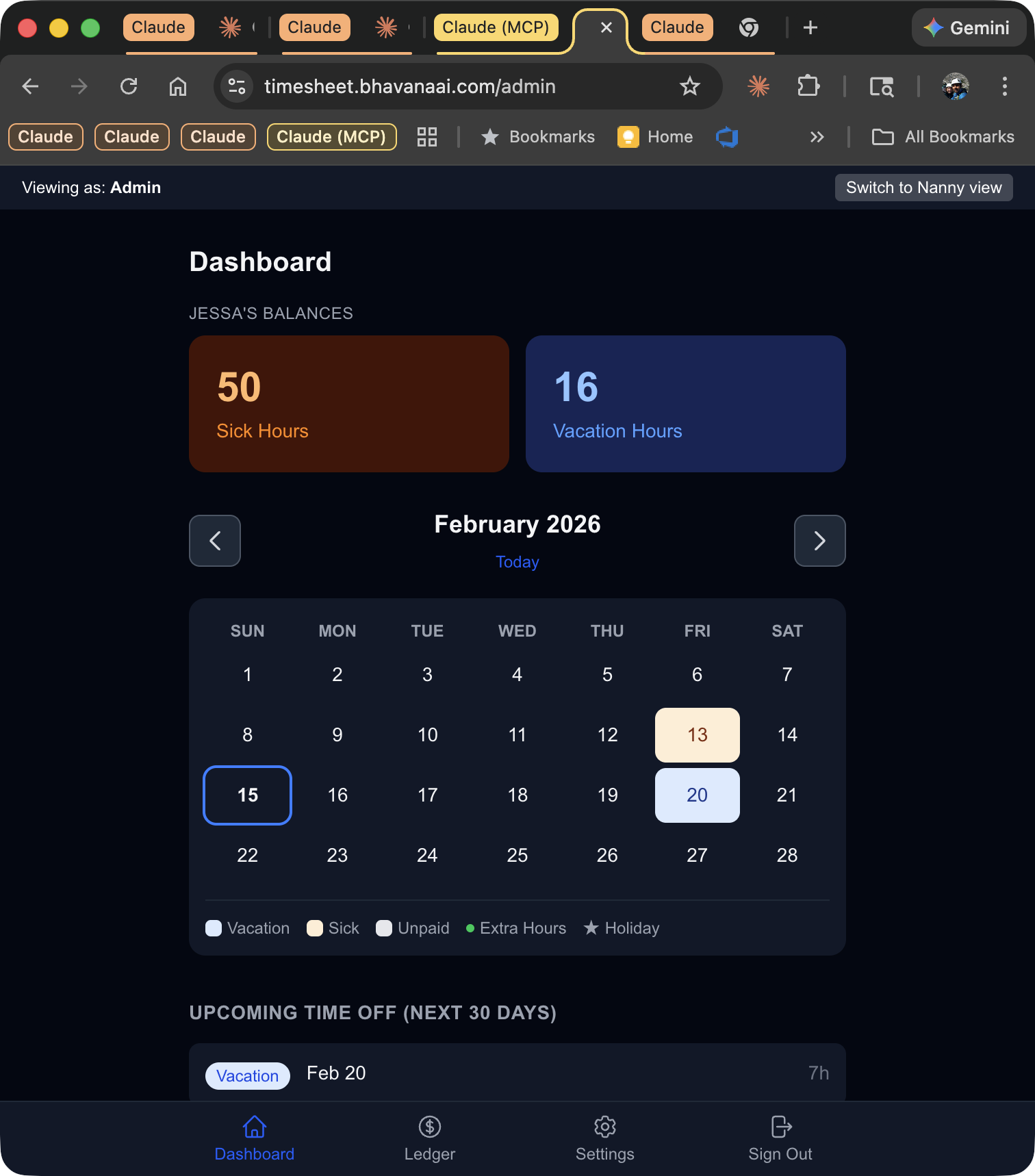
The app has two roles. Nanny view shows your current balances, lets you request time off, log extra hours, and view your history. Admin view (that is Kristin and me) shows the same balances plus a calendar, upcoming time-off list, year-to-date summary, and a settings page for managing holidays, notification emails, and the leave ledger directly.
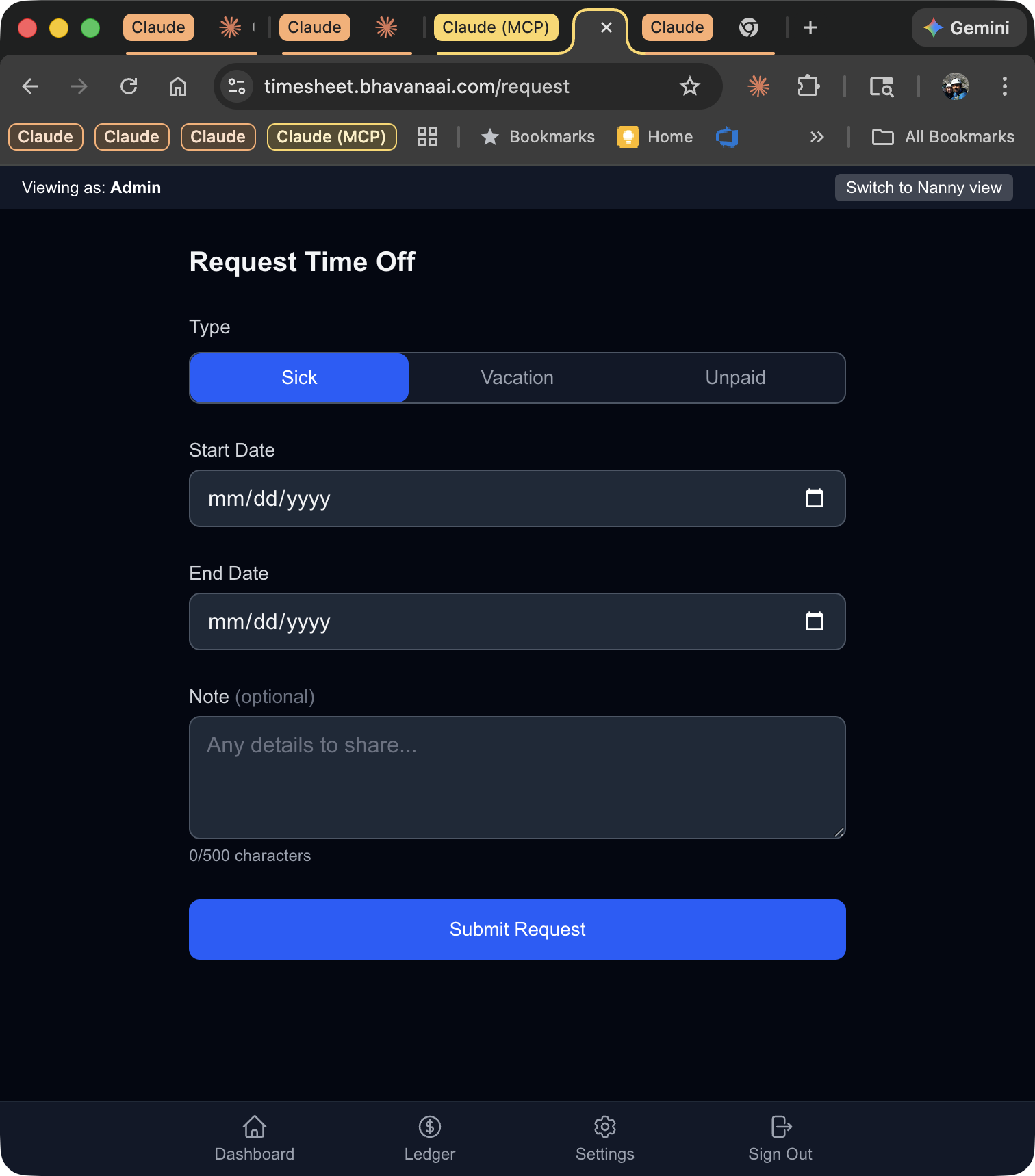
Time-off requests automatically calculate hours based on the weekly schedule. If Jessa requests Monday through Wednesday off, the system knows that is 21 hours (7 + 7 + 7) without anyone doing arithmetic. It also skips weekends and holidays. When she submits a request, we get an email. If she changes her mind about an upcoming vacation, she can cancel it herself, and the balance transaction reverses automatically.
Monthly accruals, annual carryover, and weekly email digests all run on scheduled cron jobs. The accrual logic has an idempotency guard (a unique constraint on user, type, category, and date) so running it twice in the same month is harmless.
Deploying SQLite to the cloud
The interesting part was deployment. I chose Azure Container Apps, a serverless container platform that can scale to zero (though I pin it at one replica for reasons that will become clear). The Docker image builds in the cloud via Azure Container Registry, so no local Docker installation needed.
The first real problem was SQLite on Azure Files. Azure Container Apps are ephemeral. If the container restarts, local files are gone. The obvious solution is mounting a persistent Azure Files share. But Azure Files uses SMB, and SMB does not support the POSIX file locking that SQLite requires. Every query failed with locking protocol errors.
The fix is a small shell script that runs at container startup. It copies the database from the Azure Files mount to the local /tmp filesystem, where POSIX locking works fine. A background loop syncs the local copy back to Azure Files every 60 seconds. On container shutdown (SIGTERM), it does one final sync. The tradeoff is that a hard crash (not a graceful shutdown) could lose up to 60 seconds of data. For a three-person timesheet app, that is an acceptable risk.
This is also why the app runs exactly one replica. Two containers writing to the same Azure Files share via periodic copies would be a data loss machine. One replica, one database, one sync loop.
Three Azure Logic Apps handle the scheduled jobs. A timer trigger fires on the 1st of each month to run accruals, every Sunday evening for the weekly digest email, and September 1st for the annual carryover. Each one makes a POST request to the app’s cron API with a bearer token.
What is running
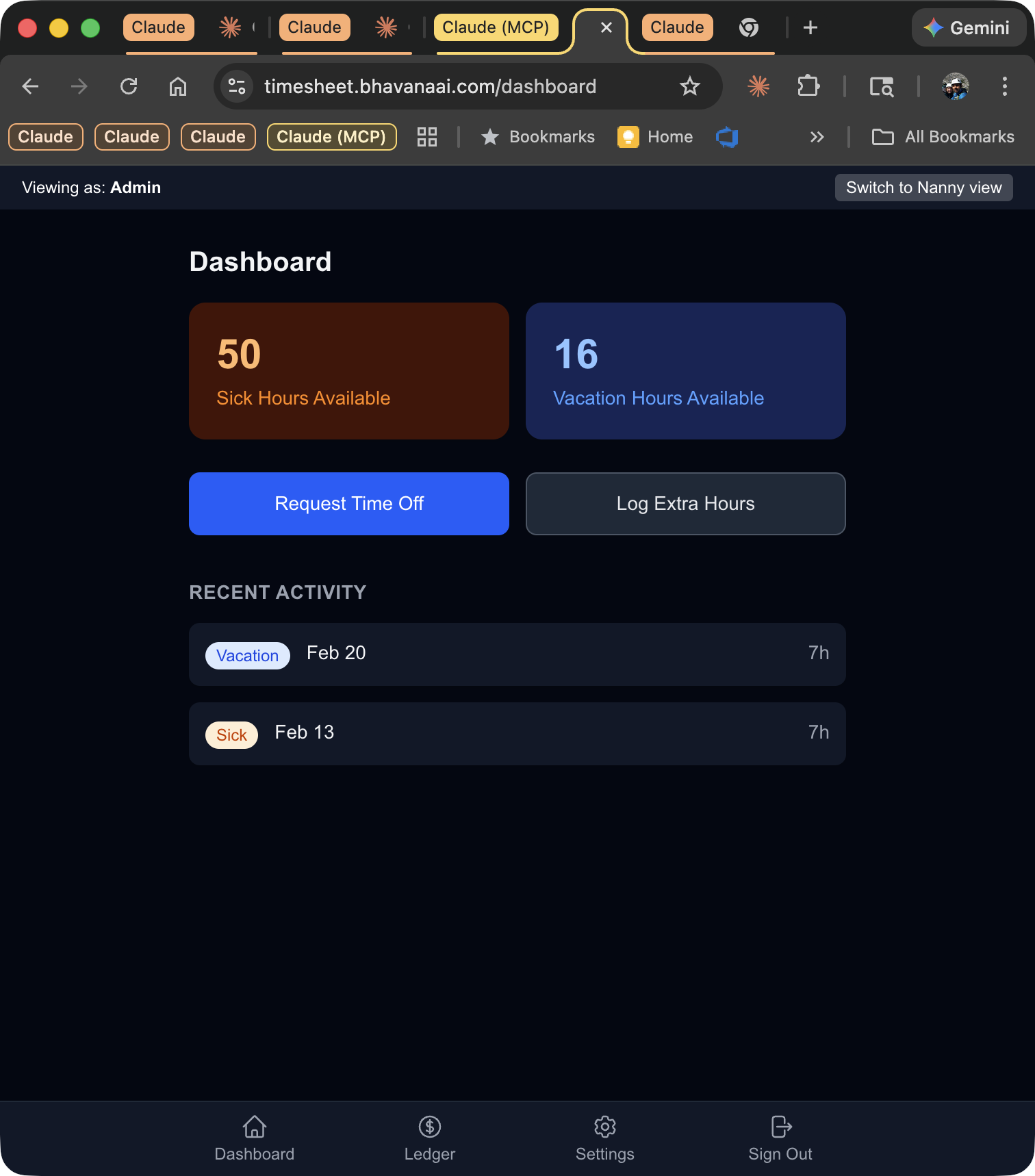
The app is live at timesheet.bhavanaai.com. Three people use it. Monthly cost: effectively $0 (Azure Container Apps’ free tier covers the minimal compute, and Azure Files costs pennies per month for a 200KB SQLite database).
The entire codebase, from database schema to deployment scripts, was written in a single extended session with Claude Code. Not generated and forgotten. Written interactively, with me reviewing each piece, testing it locally, debugging email delivery issues, fixing Docker build failures, and iterating on the deployment until it worked. The tool did the typing. I did the architecture, testing, and decision-making.
It replaced a spreadsheet that was one forgotten monthly update away from being wrong. Now the accruals happen automatically, the nanny can see her own balances on her phone, and my wife gets an email whenever time off is requested. No $50/month subscription. No onboarding call. Just a SQLite database and 36 hours of paid leave per year.
Sources
- Code: Built with Claude Code (Anthropic’s CLI coding tool)
- Stack: Next.js 16, Prisma with SQLite, Tailwind CSS v4
- Hosting: Azure Container Apps with Azure Files persistence
- Email: Azure Communication Services